Case Study·Public Service·Enterprise System

Role-based backend for 600+ government staff

Administrative platform for the Ministry of Finance’s uniform-invoice lottery redemption operations—one system of record, explicit permissions, and workflows that scale across departments.

Role
Senior Product Designer
Scale
600+ users · 4 departments
Surface
Web admin · responsive
Client
Ministry of Finance, R.O.C.
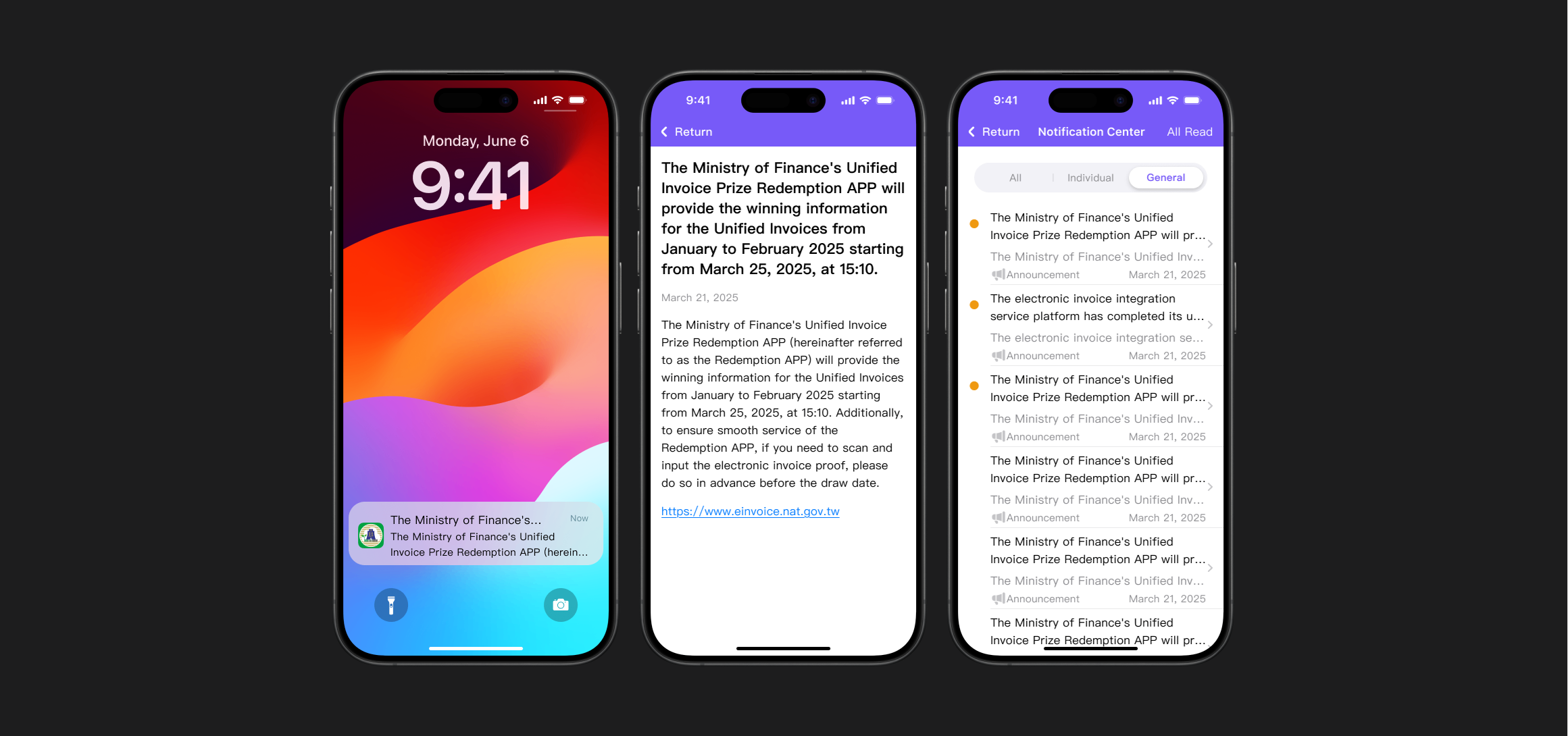
Desktop dashboard and mobile view of the government backend operations platform
Unified admin: desktop operations view with a responsive companion for field and on-call workflows.
1 · Context

Operations software where mistakes become compliance risk

This backend supports staff who review applications, reconcile payouts, and audit activity around Taiwan’s uniform-invoice lottery redemption. Work spans four departments with different mandates but overlapping data—exactly where informal tools and “who has the latest spreadsheet?” create drift.

The product problem wasn’t a missing feature list; it was fragmented tooling, unclear ownership of data, and permission models that didn’t match how power and responsibility actually flow in government operations. That’s why the interface had to encode policy—not just display it.

2 · Problem

Manual glue, inconsistent truth, and access that was either too loose or too blunt

  • Workflow costStaff re-keyed information across tools and cross-checked status by message chains. High-throughput periods meant errors scaled with volume—not with headcount.
  • Source of truthMultiple partial systems produced conflicting application states. Managers couldn’t trust dashboards because metrics weren’t tied to a single lifecycle model.
  • Access controlSensitive financial and citizen-adjacent data required granular, auditable permissions—not role titles copied from an org chart. “Admin” as a catch-all was both risky and unusable at scale.
3 · My role

End-to-end product design for a system that has to ship and stay governable

I owned:

  • Research with staff (interviews and workflow observation) to map real tasks, exceptions, and escalation—not idealized process diagrams.
  • Information architecture for navigation, record lifecycles, and cross-department handoffs.
  • UX and UI for dense, policy-heavy screens: tables, filters, bulk actions, and confirmation patterns that reduce wrong clicks under time pressure.
  • Design system foundations so new modules don’t invent new interaction models every quarter.

Engineering and compliance were embedded partners; my job was to make constraints visible in the UI so policy, security, and usability didn’t trade off in the dark.

4 · Key decisions

Product architecture choices, not decoration

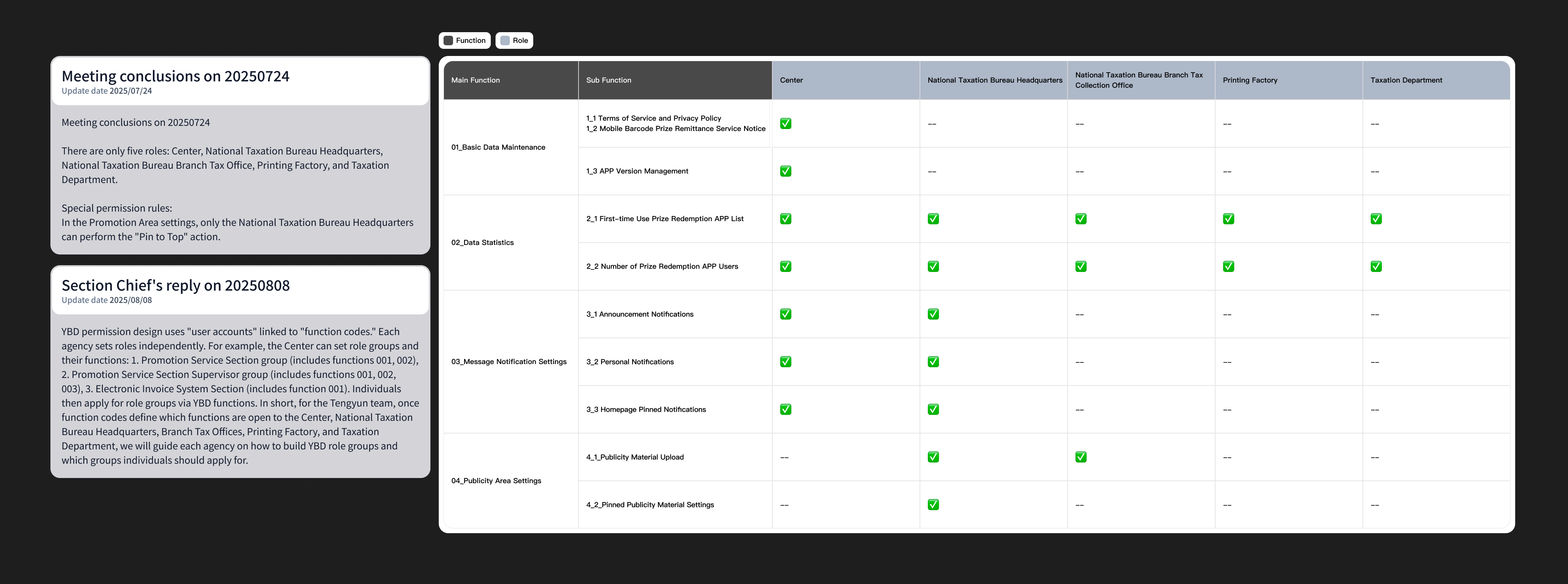
Role-based access control (RBAC) as the spine

I modeled permissions as capabilities tied to tasks and data domains—exposed as a matrix (roles × actions) leadership could review. That turned “who can do what” from tribal knowledge into an inspectable contract: critical for audits and for onboarding 600+ people with mixed digital literacy.

One operational dashboard for situational awareness

Department heads needed a single place to see backlog, SLA risk, and anomalies—not exports emailed at end of day. The dashboard anchored KPIs to the same record model staff used in detail views, so “pending review” in a chart meant the same thing as “pending” in a row—reducing debate in meetings.

Standardized components for repeatable data entry

High-frequency forms moved to grouped field patterns, inline validation, and explicit save vs. submit—so partial work didn’t pollute production state. The goal was to remove ambiguity at the moment of entry, where most errors originate.

5 · Solution

What shipped: clarity under load, trust through structure

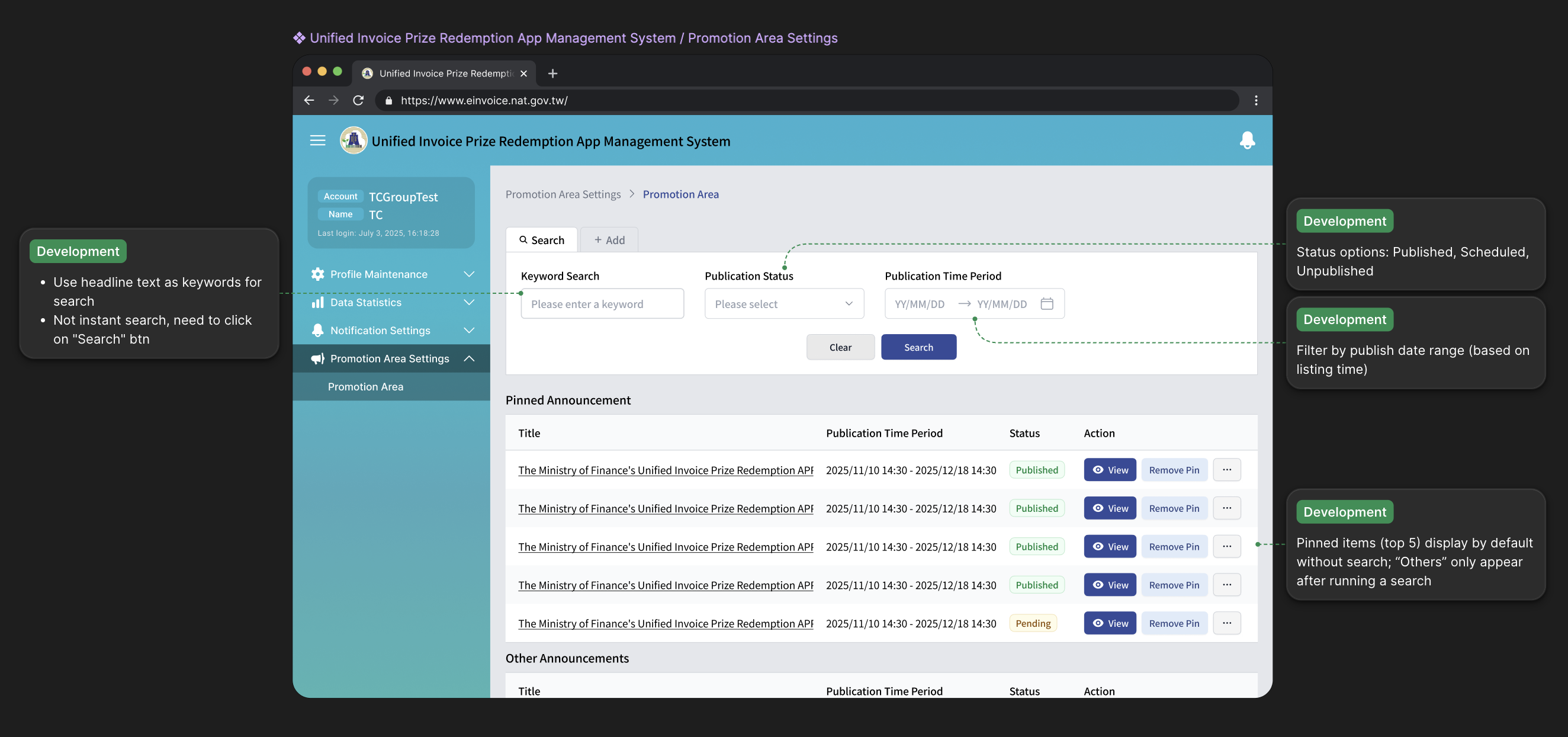
User management consolidated staff records with searchable tables, status (active/inactive), and side-panel editing so role changes didn’t require duplicating accounts or offline requests.

Core workflows moved from text-heavy, flat layouts to a predictable shell: primary navigation, contextual secondary actions, and forms broken into scannable groups— reducing cognitive load when a case file spans many fields and attachments.

Managers got chart-backed summaries (e.g. total applications, pending reviews) tied to filters they could drill from—so review meetings started from shared numbers, not competing spreadsheets.

Visual language stayed enterprise-blue and restrained: the point was legibility and auditability, not brand novelty.

6 · Impact

Measured efficiency and fewer failure modes at scale

After rollout and stabilization, operations metrics moved in the direction the product was built for: less manual repetition, fewer inconsistent records, and faster alignment between departments because the system—not Slack—carried state.

  • ~30% less timeon manual data entry and cross-tool reconciliation.
  • ~99% accuracyon key operational datasets after consolidation—fewer downstream corrections and exception handling.
  • 600+ staffonboarded into a unified environment with role-appropriate access—scaling without turning everyone into an “admin.”
  • Trust & collaborationQualitatively, teams reported higher confidence in shared numbers and smoother handoffs—because the UI reflected one lifecycle, not parallel unofficial truths.
← Back to work