Sole designer on MINA — AI-native marketplace for parents · Listing funnel, trust-first surfaces, and system work
- Growth
- ~30%
- Completed listings lift
- PostHog cohorted A/B after listing funnel redesign. Defined success metrics with PM before shipping.
- Shipped
- 50+
- Design system (50+ components) + 3 major flows
- Team
- Sole
- Product design
- 1 PM + 5 engineers — end-to-end UX on iOS.
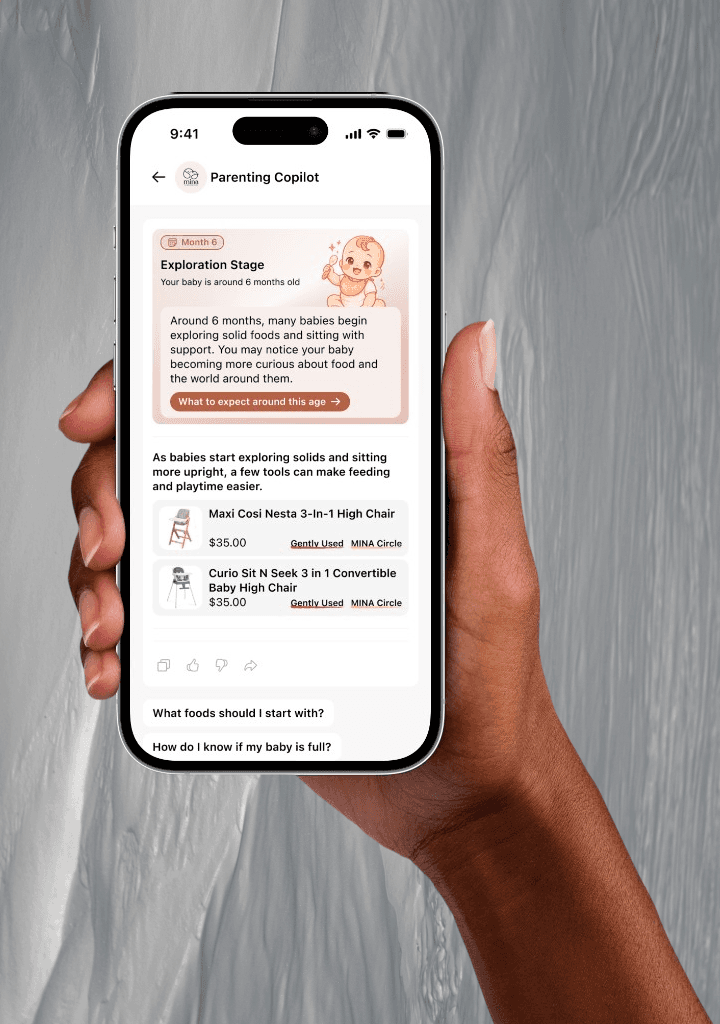


No moms wants to list 47 baby items one by one.
SF moms in tight spaces cycle through baby gear every few months. They knew about Facebook Marketplace. They just couldn't face creating listings one by one for a bag full of onesies.
The insight
Three ways parents want to move gear came up in early conversations.
Wants to bulk-list items without filling out a separate form for each one
Wants items gone before the baby outgrows them — timing matters more than price
Just wants to drop off a black garbage bag and be done with it — no listings, no chats
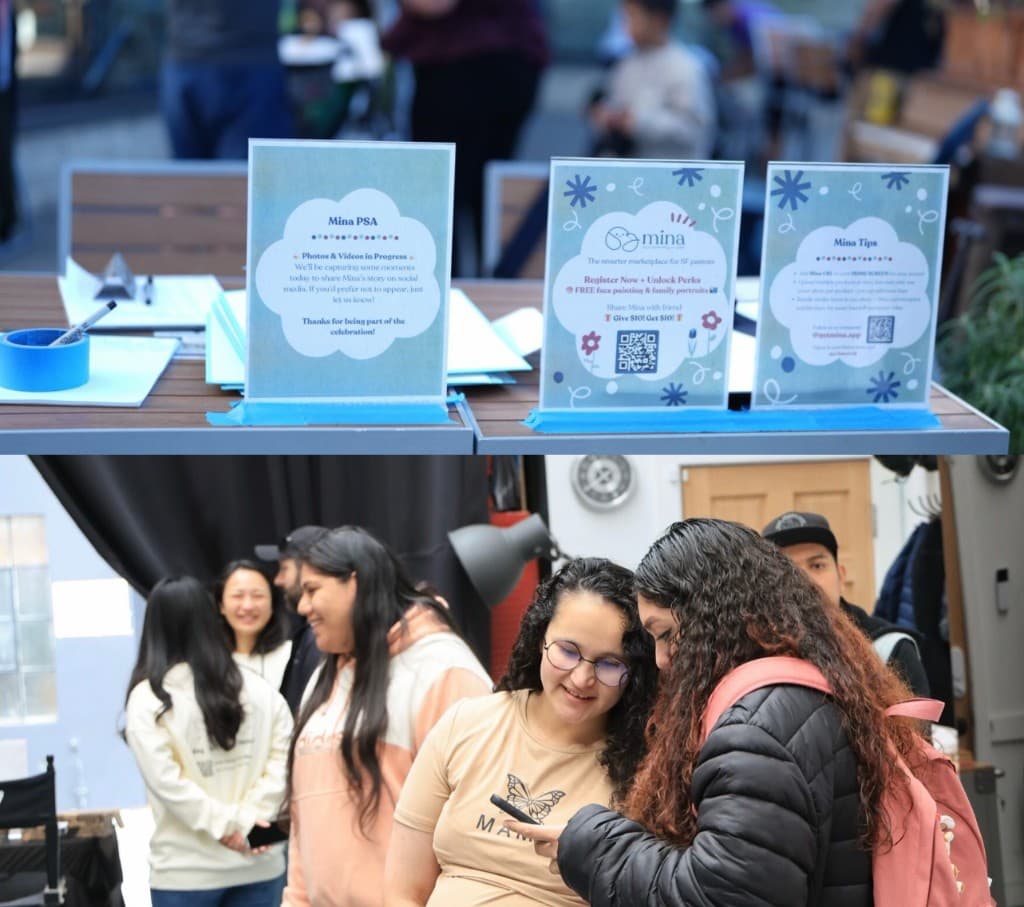
Each path uses AI where it helps — removing admin work while keeping parents in control of what publishes.
List fast
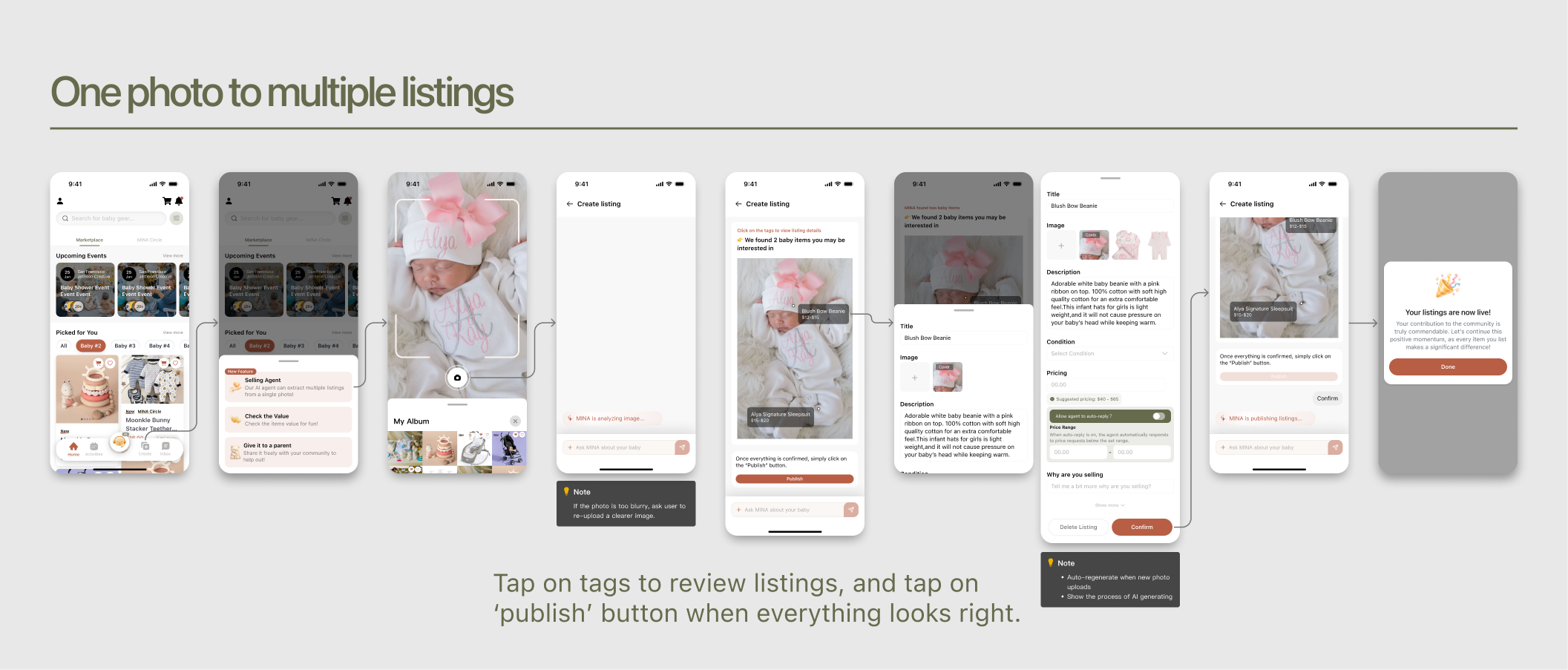
Selling Agent — one photo, multiple listings.
Take one photo and the agent generates all your listings at once. No forms, no repetition — review and publish in one go.
Sell fast
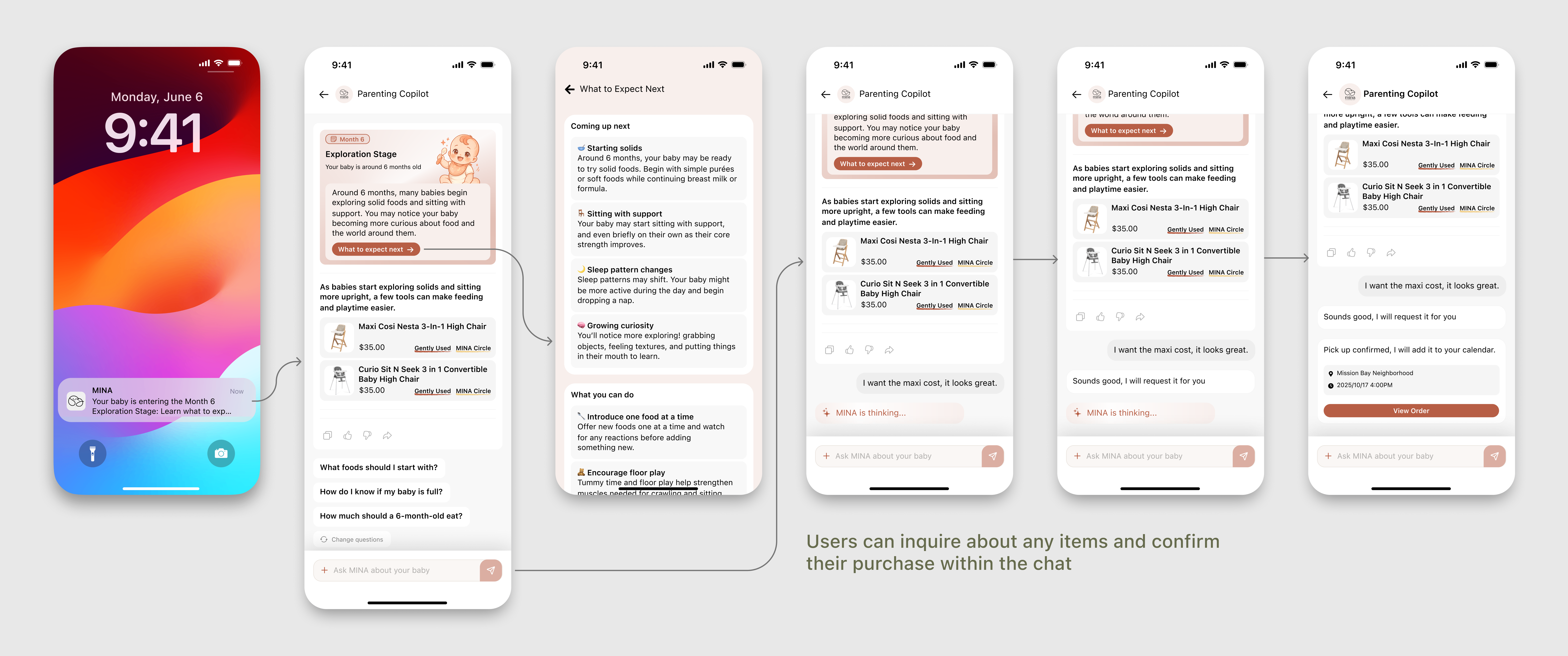
Parenting Copilot nudges buyers when their baby enters a new phase and surfaces the gear they'll need next.
Giveaway free fast
MINA Circle — claim free donated items.
At offline events, parents drop off a bag of gear and walk away with partner discount coupons. No listings, no chat threads — just done.
The redesign of the create listing flow enhanced completed listings by up to 30%.
System constraints
No blocking spinner — show staged progress while AI work lands
AI-generated listings aren't instant. Give parents a clear sense of forward motion instead of a full-screen spinner they have to stare at while models and moderation catch up.
Automation and user control
Preview before publish — trust-first, and true to server state
Nothing ships until publish. Parents always see drafts and edits first, which matches how the backend actually commits listings.
How the create-listing flow evolved
The original vision was simple: a parent dumps a pile of photos, and AI figures out which ones belong to the same listing. The engineer said it wasn't feasible — the model couldn't reliably group photos that way.
So I designed a workaround: one screen where parents could manually add listings and upload photos to each, then publish everything at once. It was technically sound.
But after going deeper on the core user pain point, I realized it hadn't solved anything. Parents still had to build each listing by hand. The form grind was still there.
I went back to the engineer with a different ask — one photo, multiple listings, with AI filling in the details.
He was willing to try, but flagged a real edge case: blurry photos would cause inaccurate detections, and the model would silently generate bad data. So I added a photo-quality prompt — if the image wasn't clear enough, the app would ask the parent to retake it before the AI ran.
The final flow wasn't the original vision, and it wasn't the safe workaround either. It came from pushing past the first “no” to find what was actually possible — and then designing around the edges of that.
Babies grow fast. The Copilot notices when a phase is ending and asks: ready to pass this along?
The copilot is a life-stage triggered circulation system: it helps parents notice when a phase is ending, what gear tends to matter next, and how to move items out kindly.
50+ components so engineering could move without redesigning atoms
I owned a scalable Figma system that mirrored iOS—using standardized variants, spacing, and component props—so a small team could ship multiple complex flows fast without one-off specs.