AtlasNova — UI for AI-assisted document generation
- Platform
- AtlasNova AI
- Enterprise macOS suite
- Multiple AI product solutions—this case study covers one feature: document generation.
- Feature
- Doc generation
- AI-assisted PRDs & research docs
- Knowledge base, templates, step-by-step section generation, persistent chat.
- My role
- Intern
- UX/UI for this feature
- Mockups and end-to-end UI flows—not the full platform or other solutions.
One feature inside a larger platform
AtlasNova AI is an enterprise macOS platform. This case study covers one feature: AI-assisted document generation — connect a knowledge base, configure a template, generate each section with persistent chat beside the draft.
As a UX/UI design intern, I owned the feature's UI end to end — from whiteboard sketches to hi-fi screens.
What we designed for
PMs sit between two failure modes: AI as black box, and workflows that split the doc from the conversation. Each principle below maps to a design decision.
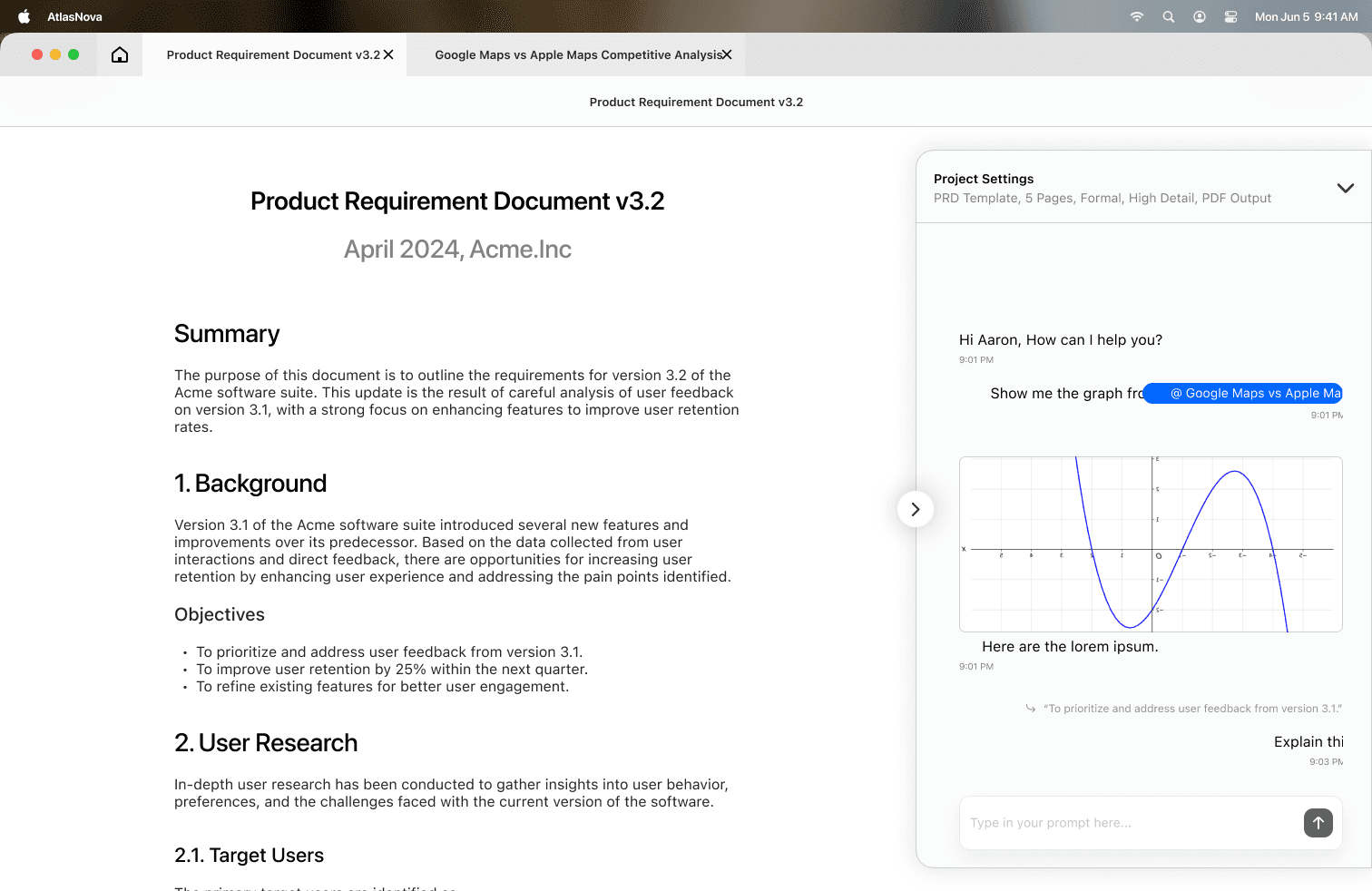
AI-assisted, not AI-replaced — step-by-step generation with chat open beside the doc, so steering a section feels like commenting, not switching apps.
Transparent generation — each section shows its pipeline stage (indexed → reading → generating), so users catch bad source pulls before the whole PRD goes wrong.
Split-pane layout — document left, chat right, one window. No context lost between generated copy and directing the AI.
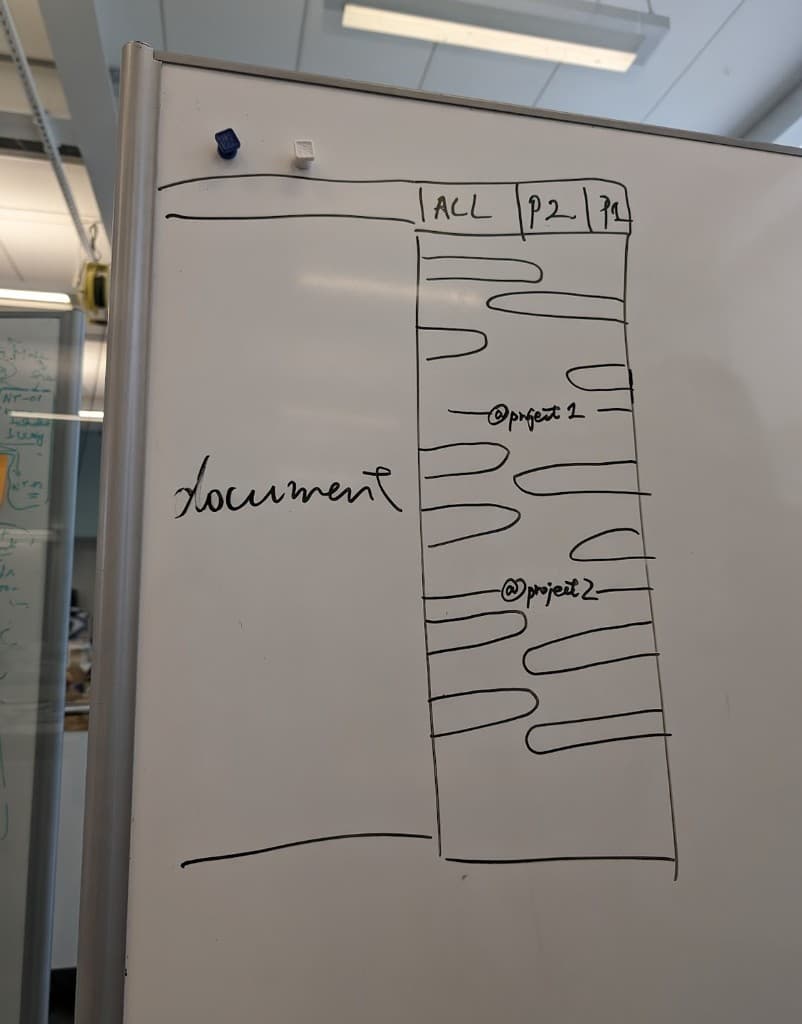
Visible context (@mentions) — @mention pills pull in prior specs, research summaries, and competitive analyses, so grounding the model is visible and repeatable, not hidden prompt engineering.
Template settings upfront — format, page count, and detail level in onboarding, not a buried menu. Fewer “regenerate everything” loops.
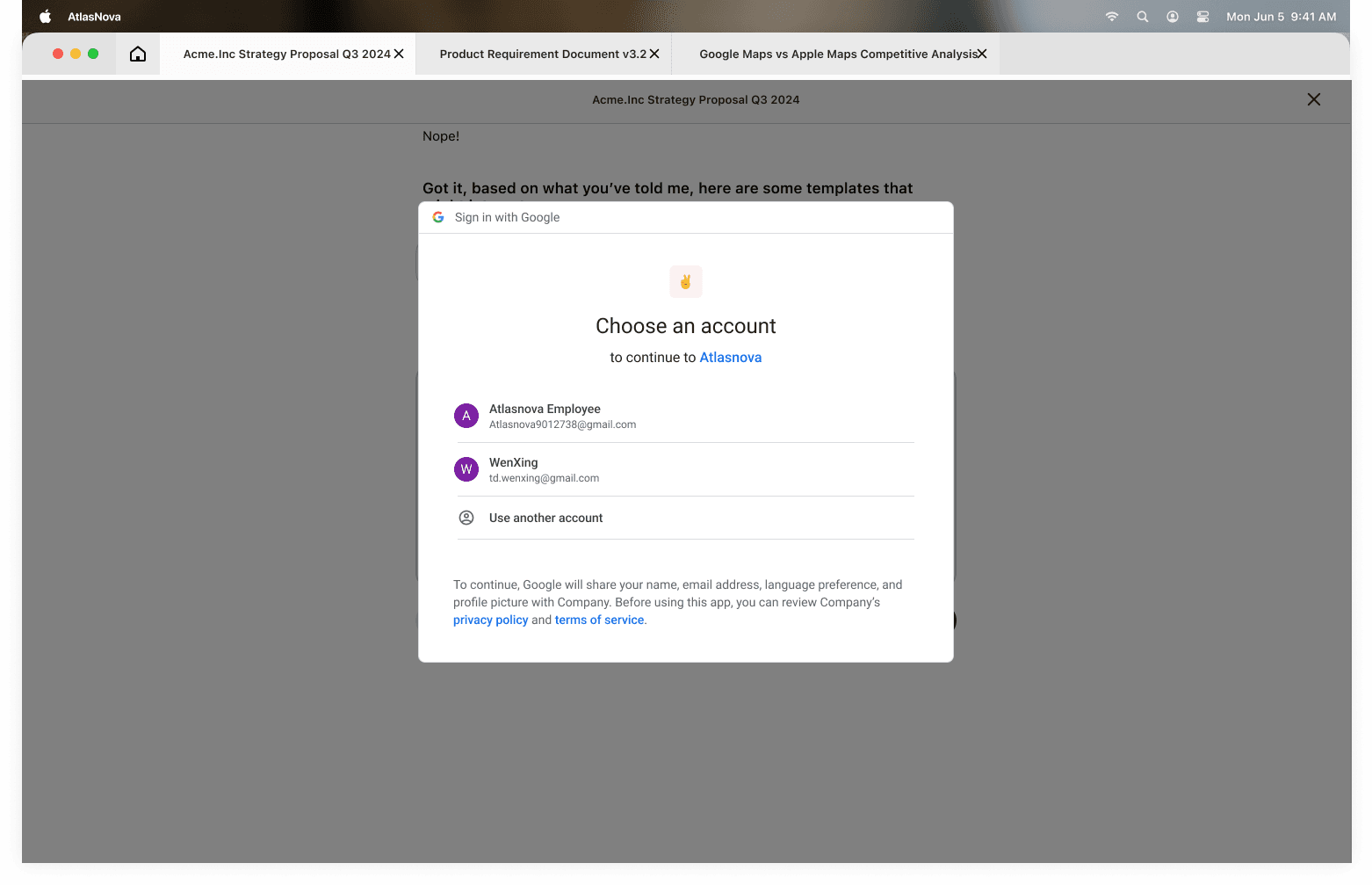
Connected platforms — import context from Gmail, Google Drive, and more without leaving AtlasNova; familiar OAuth-style sign-in keeps it trustworthy.
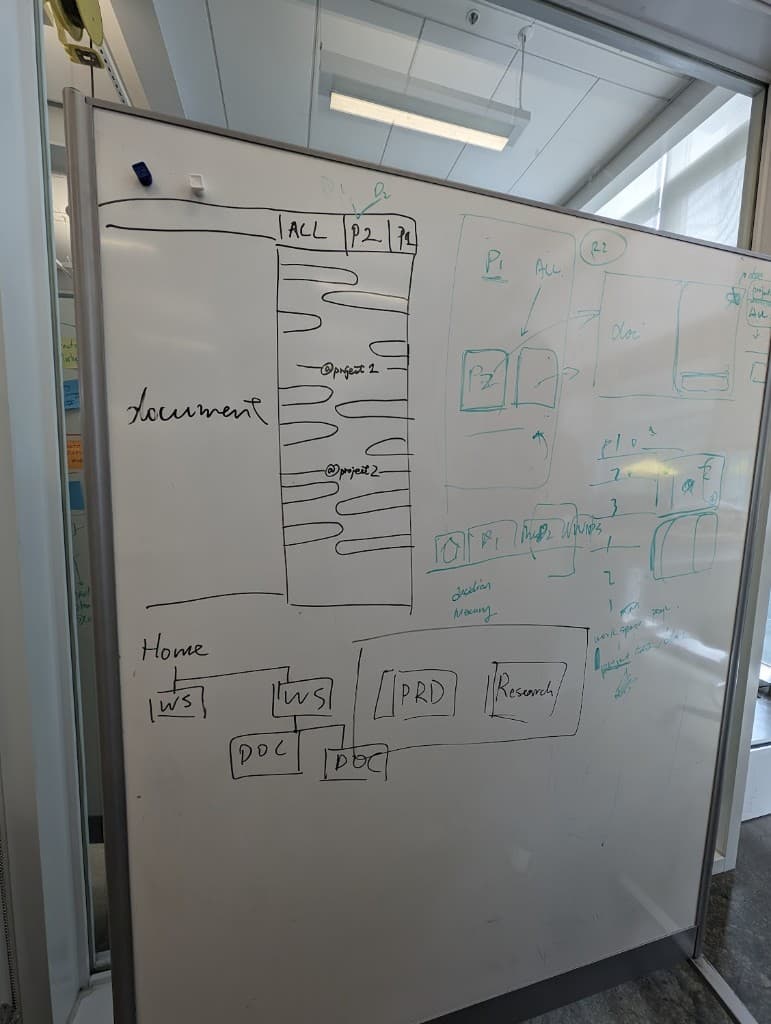
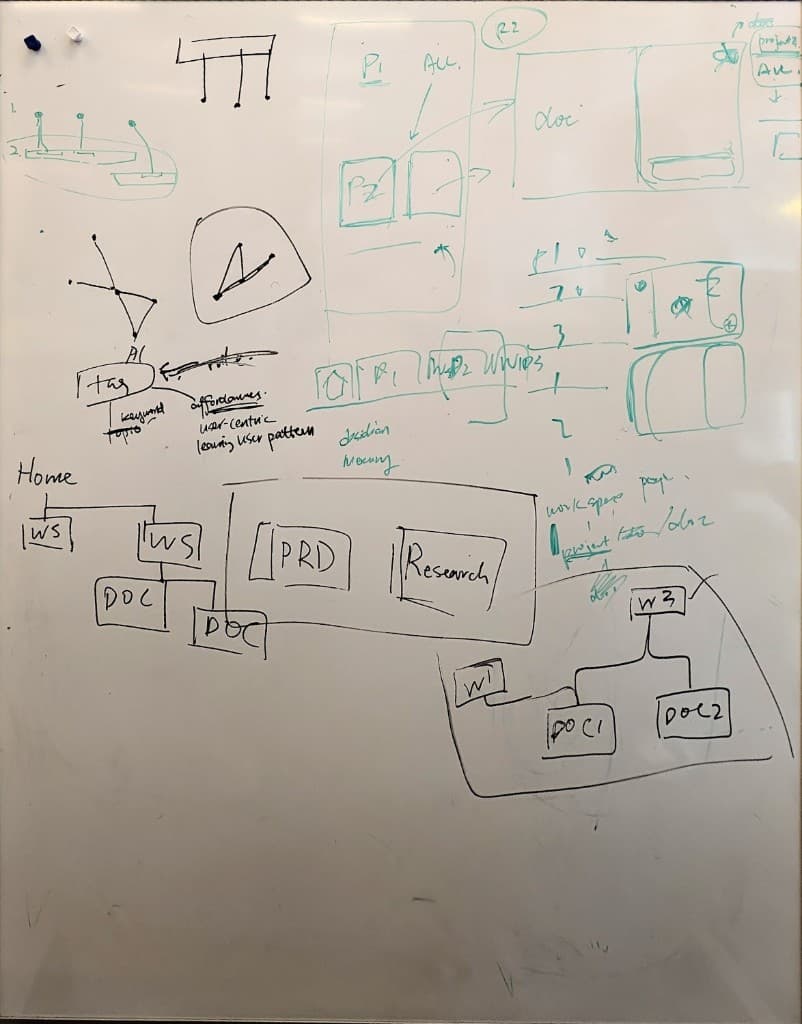
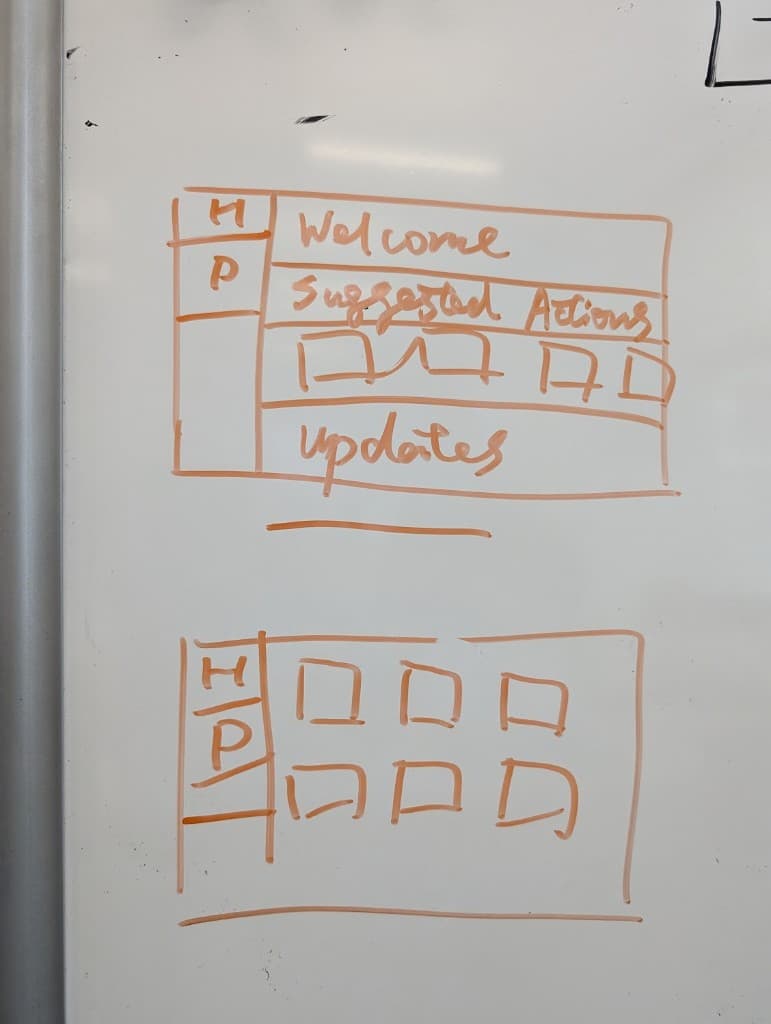
Whiteboard from team discussions
Early IA and layout explorations for this feature—before hi-fi mockups.
Hi-fi screens
Hi-fi screens I delivered for the document generation flow—home → import sources → split-pane workspace → platform connect.
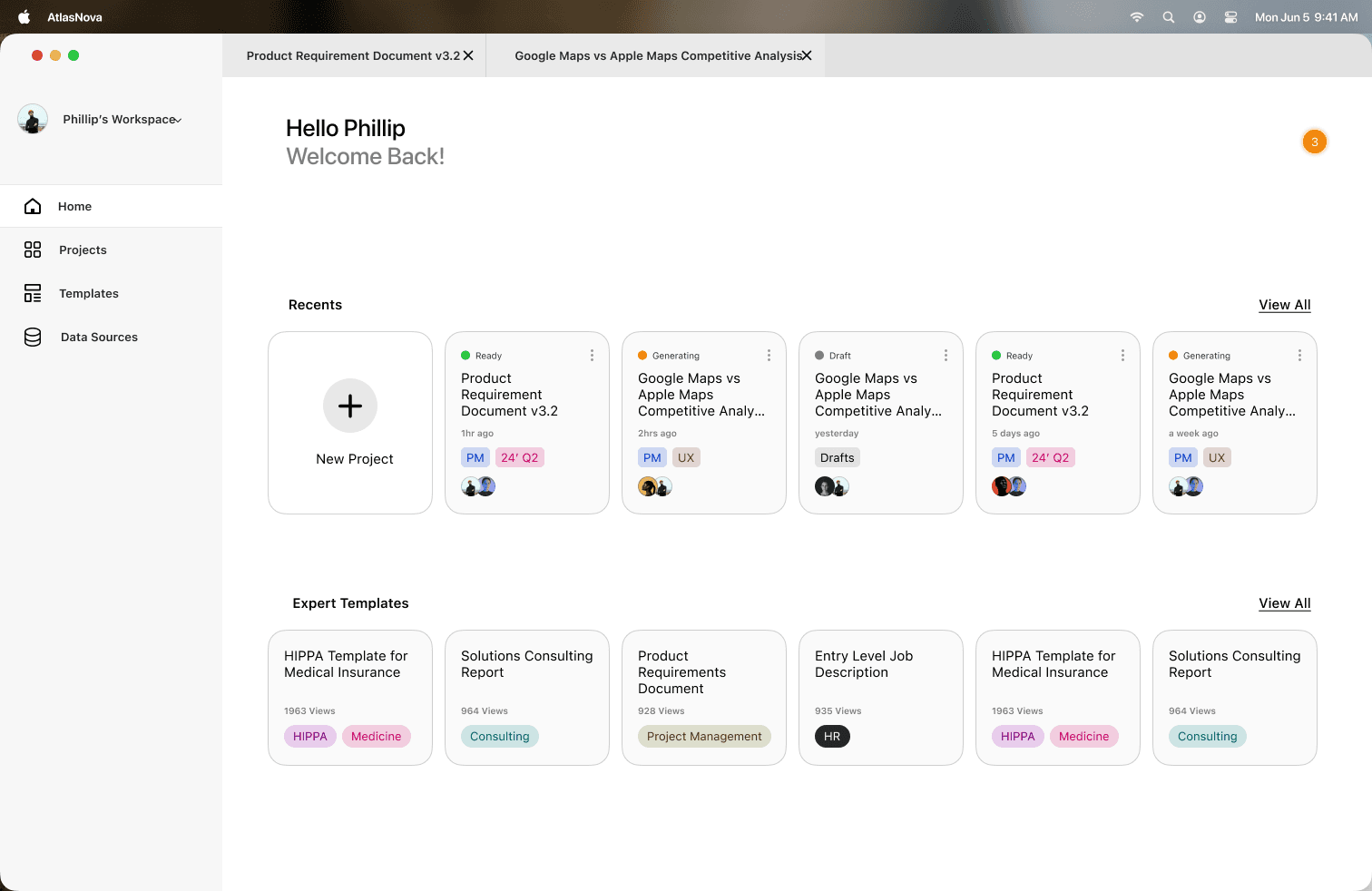
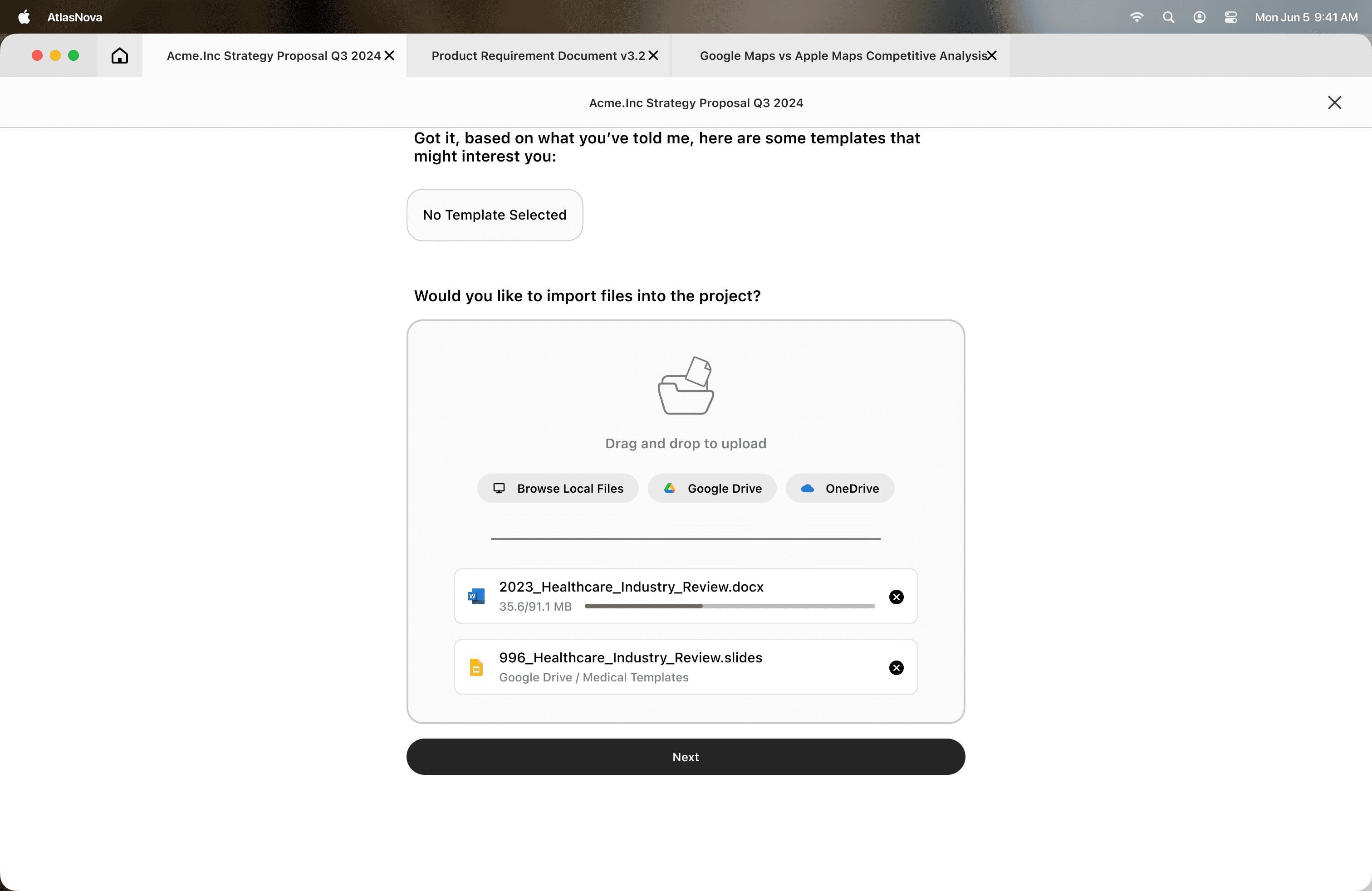
New project onboarding
Onboarding for new document projects: dashboard → prompt → AI clarifying questions → template pick → file upload. Narrows scope before generation; surfaces template settings upfront.
